
Ready to transform your business with Dashboard Reporting?
Contact our expert team today for a tailored strategy and free consultation.
Get a Free ConsultationNo services available in this category yet.
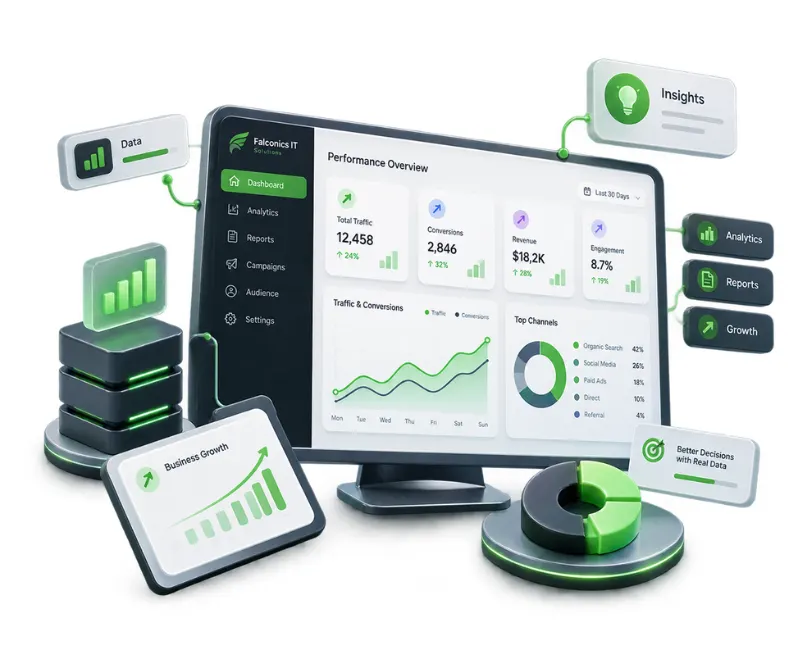
When important business data is spread across analytics platforms, advertising accounts, CRM systems, ecommerce tools, and spreadsheets, understanding performance can take more time than it should.
Falconics IT Solutions provides Dashboard Reporting services that organize relevant data into clear, easy-to-understand dashboards. Instead of reviewing disconnected reports, your team gets a structured view of the metrics that matter to your business.
Whether you need marketing performance reporting, sales visibility, ecommerce analytics, or an executive-level business dashboard, the reporting structure can be designed around your objectives and existing data sources.
Key benefits:
Effective reporting is more than putting numbers into charts. A useful dashboard should answer specific business questions and present the right information at the right level of detail.
Falconics can structure dashboards around the data sources, KPIs, reporting frequency, and decision-making requirements relevant to your organization.
Depending on the project, dashboard reporting can cover:
The objective is to make reporting easier to interpret—not simply to create more charts.
A dashboard is only as useful as the information behind it. The first step is identifying which sources contain the data required for meaningful reporting.
Depending on your requirements, information may come from analytics platforms, advertising systems, CRM software, ecommerce platforms, databases, spreadsheets, or other business tools.
The reporting structure can then be organized around the questions your team actually needs to answer. This helps avoid cluttered dashboards filled with metrics that look impressive but have little practical value.
Not everyone in a business needs to see the same information.
A marketing manager may need channel performance and conversion metrics, while a sales team may focus on leads and pipeline activity. Business leaders may need a concise overview of revenue, acquisition, performance trends, and other high-level indicators.
Custom dashboard reporting allows information to be structured according to the audience using it. This makes the reporting experience more relevant without forcing every stakeholder to work through the same data view.
Regular reporting becomes difficult when teams depend heavily on manually collecting data from multiple platforms.
A well-structured dashboard can make recurring performance reviews more consistent by bringing defined metrics into a common reporting format. This gives teams a clearer starting point for weekly, monthly, or campaign-level reviews.
The goal is not to eliminate analysis. It is to spend less time assembling information and more time understanding what the information means.
1. Understand the reporting requirement
We begin by identifying your business objectives, reporting audience, important KPIs, existing data sources, and the decisions the dashboard needs to support.
2. Map the data
Relevant platforms and datasets are reviewed to understand what information is available, how it is structured, and how different sources should be brought together.
3. Design the dashboard
The dashboard is structured around meaningful metrics and logical reporting categories. Visualizations are selected according to the type of information being presented rather than added simply for appearance.
4. Build and validate
The reporting environment is developed and checked for consistency, usability, and data accuracy. Where necessary, calculations, filters, views, and reporting logic are reviewed before delivery.
5. Refine for practical use
Feedback from the intended users can be incorporated to improve the dashboard's usefulness. Additional reporting requirements can also be considered as business needs evolve.
The final reporting solution depends on your requirements, but a typical engagement can include:
| Area | Possible Deliverable |
|---|---|
| Data sources | Connected or consolidated business and marketing data |
| KPIs | Defined metrics aligned with reporting objectives |
| Visualizations | Charts, tables, scorecards, and trend views |
| Filters | Relevant date, channel, product, campaign, or business filters |
| Reporting views | Management, marketing, sales, ecommerce, or operational views |
| Dashboard documentation | Guidance for understanding and using the reporting environment |
The exact scope is determined by the systems involved, reporting requirements, data availability, and dashboard complexity.
A well-designed dashboard can improve how teams interact with business information.
Faster performance reviews: Key metrics can be reviewed from a centralized reporting environment instead of being manually assembled from multiple sources.
Better visibility: Trends and performance changes become easier to identify when relevant information is presented consistently.
More focused decision-making: Teams can spend less time searching for numbers and more time evaluating what those numbers indicate.
Consistent reporting: A defined dashboard structure can create a more reliable format for recurring internal and client-facing reports.
Greater accountability: Clear ownership of KPIs and performance measures can make it easier for teams to understand what is being measured.
Scalable reporting: As reporting requirements become more complex, the dashboard structure can be expanded rather than relying entirely on additional spreadsheets and manual reports.
Dashboard reporting can be particularly useful when your business is dealing with issues such as:
The solution starts by understanding the reporting problem rather than assuming that every business needs the same dashboard.
Dashboard reporting can support a range of organizations and teams, including startups, SMEs, ecommerce businesses, B2B companies, marketing teams, sales teams, and established organizations with multiple reporting requirements.
It is particularly useful when decision-makers rely on data from several systems or when recurring reporting has become dependent on manual work.
For businesses already using analytics, advertising, CRM, ecommerce, or other digital platforms, dashboard reporting can provide a more structured way to bring those data points together.
Falconics approaches dashboard reporting as a business reporting problem, not simply a visualization task.
The focus is on understanding what information matters, where that information comes from, who needs to use it, and how it should be presented. This approach helps prevent dashboards from becoming overloaded with metrics that do not support actual business decisions.
Because Falconics also works across digital marketing, technology, software, AI, and data analytics, dashboard requirements can be considered alongside the wider systems and digital activities that generate the underlying data.
The engagement can therefore be shaped around your existing setup rather than requiring a completely standardized reporting model.
Businesses operating across India often work with multiple marketing channels, sales systems, ecommerce platforms, and operational tools. When these systems produce separate reports, gaining a single view of performance can become increasingly difficult as the organization grows.
A practical dashboard can bring the most relevant information into a clearer reporting structure while preserving the detail needed by individual teams.
The right solution depends on your existing technology stack, reporting objectives, and the level of visibility your stakeholders require.
Dashboard reporting timelines vary according to the number of data sources, integration requirements, reporting complexity, data quality, number of dashboards, and level of customization involved.
Projects with a small number of well-structured data sources can be relatively straightforward, while dashboards requiring multiple systems, custom calculations, or complex reporting logic require more planning and validation.
Meaningful reporting also depends on the quality and consistency of the underlying data. Where data needs to be cleaned, mapped, or restructured, that work can affect the overall project scope.
Dashboard Reporting pricing is determined according to the requirements of each project rather than a fixed package.
Factors that can influence the scope include the number and type of data sources, dashboard count, integration requirements, custom calculations, reporting complexity, visualization requirements, and ongoing maintenance or support.
After understanding your requirements, Falconics can define the appropriate scope and engagement model before implementation begins.
Dashboard Reporting is the process of organizing data from one or more sources into a visual reporting interface. It allows users to monitor selected KPIs, trends, and performance information in a more structured and accessible format.
Depending on the technical setup, dashboards can incorporate information from analytics platforms, advertising systems, CRM tools, ecommerce platforms, databases, spreadsheets, and other business systems.
Yes. Dashboard structures can be customized around your KPIs, data sources, reporting audience, business objectives, and preferred reporting views.
Yes. Marketing dashboards can consolidate information such as traffic, campaigns, acquisition channels, conversions, and other relevant performance metrics to make campaign reporting easier to review.
Yes. Dashboards can be structured for sales performance, lead and pipeline visibility, management-level KPIs, or other business reporting requirements.
You need to provide access to the relevant systems or data sources required for the agreed reporting scope. The exact requirements depend on the platforms and reporting environment involved.
Yes. Existing dashboards or reporting processes can be reviewed to identify unnecessary complexity, missing information, inconsistent reporting, or opportunities to make the system easier to use.
There is no single timeline for every project. Complexity, integrations, number of dashboards, data preparation, and customization requirements all influence the implementation period.
Yes. Different dashboard views can be structured for management, marketing, sales, ecommerce, operations, or other stakeholders when their reporting requirements differ.
Pricing depends on project scope, data sources, integrations, dashboard complexity, customization, and ongoing support requirements. A suitable engagement can be determined after reviewing your reporting needs.
Start by sharing what you currently use for reporting, the data sources involved, the metrics you need to monitor, and the problems you want the dashboard to solve. Falconics can then assess the requirements and discuss the appropriate approach.
Your data becomes more valuable when the right people can understand it without spending unnecessary time assembling reports.
If your business is managing information across multiple platforms or relying heavily on manual reporting, Falconics IT Solutions can help you create a dashboard structure built around your actual reporting requirements.
Contact our expert team today for a tailored strategy and free consultation.
Get a Free Consultation